With the SkyDrive app do I have access to my files when off-line?

With the SkyDrive app installed on your computer you have access to everything that is in SkyDrive even when you are not connected to the Internet. imageYou can add or remove files and folders.

Without being connected to the Internet, of course, any changes in the SkyDrive folder cannot be synchronized. When you do establish an Internet connection, the online imageSkyDrive will be automatically updated with the local SkyDrive folder.

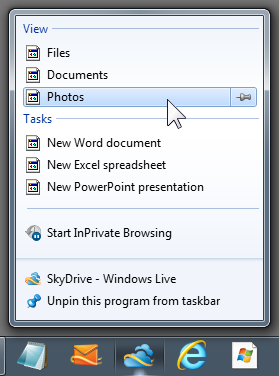
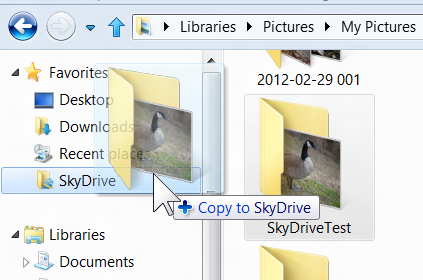
The desktop SkyDrive shortcut opens your local folder. You can manage the folders and files just like any other folder. This is the easiest way to add folders and their contents to SkyDrive complete with any sub-folders.image

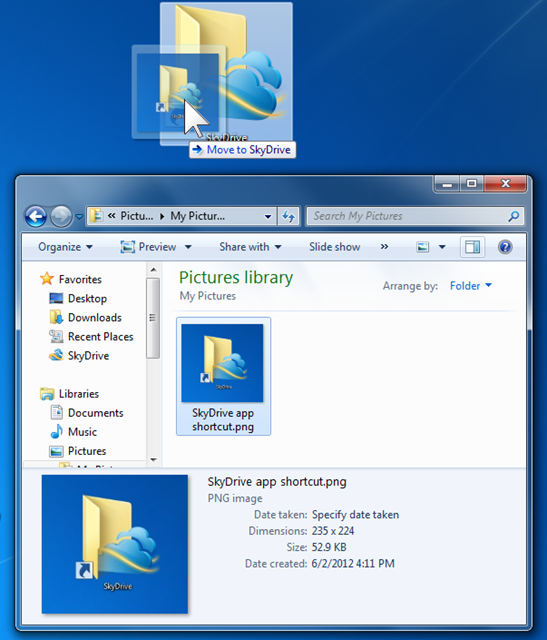
If you drag a file or folder to the SkyDrive desktop icon it will be placed into the SkyDrive root, just as you would expect.

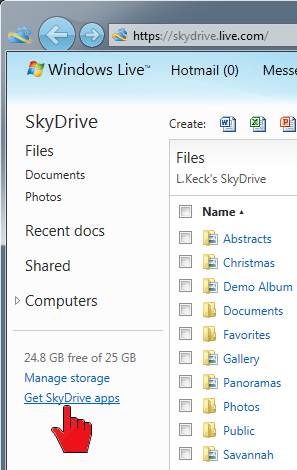
imageIf you do not have the SkyDrive app, sign in to your Microsoft account, click  SkyDrive in the top menu bar. In the navigation pane on the left click “Get SkyDrive apps” at the bottom of the listings. Step through the download and installation process.

SkyDrive access works best when you stay connected. Next time you sign in, check “Keep me signed in”.

.:.

© 2012 Ludwig Keck

How do I install SkyDrive in Windows Explorer?

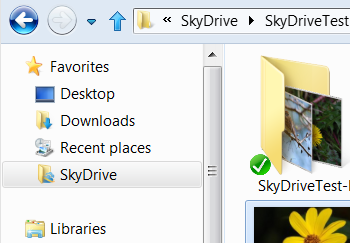
Microsoft released a preview version of the app “SkyDrive for Windows” that adds SkyDrive to Windows Explorer imageand allows accessing SkyDrive as if it were just another folder on the computer.

It is just a simple download and a quick install. This works for Windows 7 and Windows 8.

Here is the download site:

Download SkyDrive for Windows

Click the above link, you will next see the download banner. Click Run. Sign in to your Microsoft Account and follow the dialogs.SkyDrive-NEW-12

In about a minute there will be a SkyDrive listing in Windows Explorer, in the Favorites section as shown in the illustration above.

Presently that entry cannot be expanded like other folders, however it works the same in the main pane.

It takes a bit to synchronize Windows Explorer with your SkyDrive – there is still the Internet download and upload delay – but shortly SkyDrive will work like any other folder.

imageAnd, yes, you can now drag and drop folders, including contents and sub-folders, right into SkyDrive.

Do keep in mind that your Internet connect speed will affect how quickly this takes place.

This is a much needed improvement and will make SkyDrive a much more useful feature.

.:.

© 2011 Ludwig Keck

Why do I sometimes get spots in my photos?

The full inquiry stated that the dark spots were usually seen in the sky part in photos and sometime they were almost indistinct, other times very noticeable. Spots in photoThe camera used was a DSLR and the lens kept clean.

Here are samples of such spots. These five photos (these are enlarged sections) show the same sky and tree at right. They were taken at different aperture settings, as indicated.

You can see that for large apertures (small f/number) the spots are larger and lighter. In the photos at even larger apertures the spots were not noticeable.

This explains the mystery of sometimes getting spots and not at other times – the aperture will, of course, be different for different photos. So sometimes, with a small aperture (large (f/number), the spots are there, and they are not visible in photos taken at large apertures.

These spots are made by very tiny dust flecks on the rear of the lens. Indeed, this dust was almost invisible to the naked eye. When the lens is stopped down the light bundle forming the image at any one spot is very small and even the tiniest dust particle can cast an appreciable shadow onto the sensor.

It is very easy to miss cleaning the rear of a lens. It is not exposed to the elements except when changing lenses, so you might not think about it. Normally we keep the rear caps on, so there are but a few seconds when dust can get on the rear of the lens. Unfortunately, that is time enough. So be sure to not only keep the front lens surface clean, but the rear of of lens as well.

(Oh, yes, I intentionally got dust on the rear element of a lens to take these photos – the things one has to do to investigate readers’ mysteries!)

.:.

© 2011 Ludwig Keck